
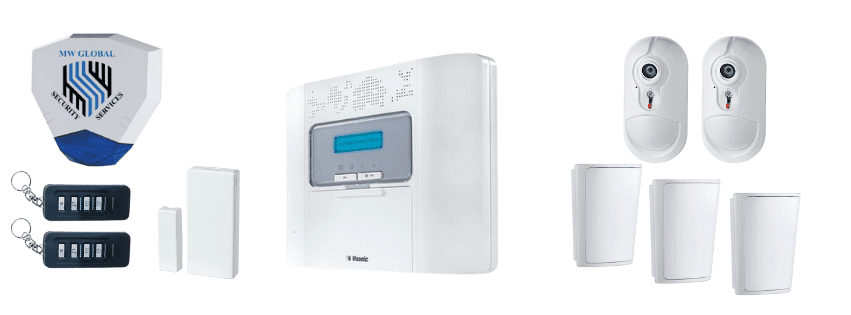
Visonic PowerMaster 30 Repairs, Support & Replacement
Support for existing PowerMaster 30 and PowerMaster 30 Triple G2 alarm systems across East Anglia.
Fault diagnosis, multi-user system reviews, battery replacement, compatible expansion, LTE or IP communication checks and honest repair-or-replacement advice.
Existing-system support | Visonic PowerMaster Gold Certified Installer | Communicator reviews | Modern replacement advice
Panel & System Faults
Investigating panel, device, tamper, siren, power and communication warnings.
Multi-User Support
Reviewing codes, proximity devices, partitions and user access on larger systems.
Expansion & Upgrades
Assessing compatible PowerG additions and supported LTE or IP communication options.
Repair or Replace
Clear advice when retaining the existing system is sensible—or no longer good value.
Support for Existing PowerMaster 30 Alarm Systems
The Visonic PowerMaster 30 G2 is an established higher-capacity PowerG alarm panel found in larger homes, offices, clinics, retail premises, workshops and other multi-user properties.
Visonic still lists the PowerMaster 30 G2 within its panel range. We therefore do not describe it as officially discontinued. However, MW Global Security Services primarily positions this page around maintaining, repairing, expanding and replacing systems that are already installed.
The panel’s 64 wireless zones, 48 user codes and partition support can make a healthy existing system worth retaining. Those same properties can also have many detectors, sirens, users and communication components, so the combined cost of several faults or upgrades must be considered carefully.
Before recommending work, we identify the exact panel, software, devices, battery condition, communicator, user arrangements and installer access.
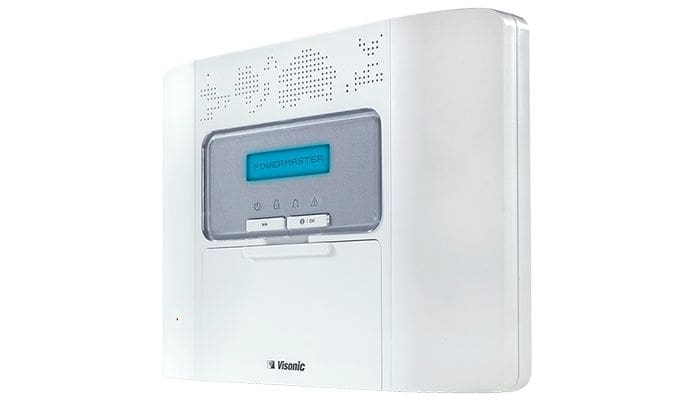
PowerMaster 30 Services We Can Assess
Support depends on the installed version, system condition, authority to access it and availability of compatible replacement parts.
Control Panel Faults
Mains failure, battery warnings, clock errors, repeated alarms, configuration issues and panel or display faults.
Detector & Zone Problems
Offline zones, weak signal, false activations, damaged contacts and compatible device replacement.
Siren & Tamper Faults
Internal or external sounder faults, low batteries, tamper warnings and supported replacement options.
Users, Codes & Partitions
Reviewing up to 48 user codes, staff changes, proximity devices, part sets and separately controlled areas.
Communication & App Issues
Assessing LTE, IP, SIM, service-provider and account configuration problems.
Compatible Expansion
Considering additional PowerG devices where the panel has capacity and further investment remains proportionate.
Should You Repair or Replace a PowerMaster 30?
A large installed system may represent a substantial investment. Replacement should not be recommended casually, but neither should repeated repairs continue without considering long-term value.
Repair or Upgrade May Be Sensible When
- The control panel remains stable
- The fault is isolated to one battery, detector, siren or communicator
- The existing 64-zone and 48-user capacity still suits the property
- Most installed PowerG devices remain serviceable
- The customer is satisfied with the keypad-led user experience
- A compatible repair or communicator upgrade offers proportionate value
Replacement May Be Better When
- The panel has repeated or unexplained faults
- Several detectors, sirens or batteries require replacement together
- Legacy communication no longer supports the required service
- The property wants a modern touchscreen, app or automation platform
- User requirements or building use have changed substantially
- The combined repair and upgrade cost approaches a new-system investment
Our recommendation should explain the cost, retained limitations and likely useful life of each option rather than simply choosing the cheapest immediate repair.
PowerMaster 30 Specification Reference
These figures help assess the value and practical limits of an existing PowerMaster 30 installation.
64 Wireless Zones
Substantial capacity for larger or more detailed wireless alarm designs.
48 User Codes
Useful for staff, managers, cleaners, contractors and larger households requiring individual access.
Partition Support
Allows separately controlled areas where the installation has been planned and configured correctly.
Up to 48-Hour Backup
Actual panel backup depends on the battery fitted, system load, age and condition.
Up to Two Wired Zones
Provides limited wired inputs rather than extensive hybrid-panel capacity.
Wired Siren & PGM
Supports one wired siren and one programmable output according to the current product specification.
Optional LTE & IP
Connected services depend on compatible modules, software and provider configuration.
PowerG Wireless
Compatible devices communicate using Visonic’s two-way PowerG protocol.
Users, Codes, Partitions & Business Changes
PowerMaster 30 systems are often installed where several people need access. Over time, staff changes and undocumented shared codes can weaken control of the system.
- Remove codes belonging to former staff or contractors
- Create separate authorised user codes where capacity allows
- Review shared codes and unidentified arming activity
- Check proximity tags and keyfobs still held by authorised people
- Confirm which users may control each partition
- Update opening, closing and response responsibilities
- Document administrator and installer access
- Review whether 48 user codes still meet the current organisation
An alarm system does not manage employment permissions by itself. The customer remains responsible for authorising users and notifying us when access arrangements change.
PowerMaster 30 Maintenance & Battery Replacement
A larger system can contain many battery-powered devices. Replacing one reported battery without reviewing the wider system may leave several other devices close to failure.
- Panel battery and charging checks
- Detector, keypad, siren and repeater battery warnings
- Mains-failure and backup-operation checks
- Tamper and enclosure checks
- PowerG signal and supervision review
- Alarm, part-set and partition tests
- Internal and external warning-device checks
- Communication and reporting tests where included
- User, keyholder and response-plan review
Published maximum battery life varies by device and is not a guarantee. Activation frequency, temperature, camera use, wireless conditions and battery quality all affect replacement intervals.
Existing PowerG Devices: Compatibility Before Replacement
The installed PowerMaster 30 may include detectors and controls from different periods. Exact model and software support must be checked before ordering replacements.
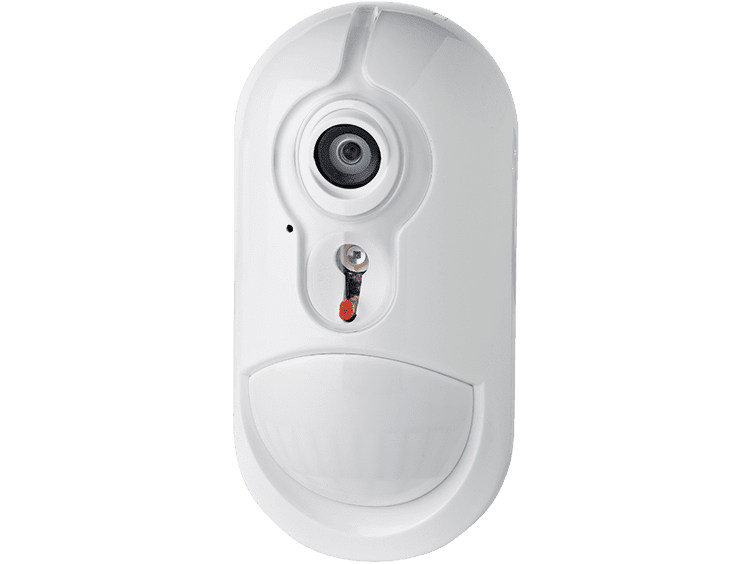
Intrusion & Visual Verification
Motion detectors, contacts, shock devices and supported camera detectors can be assessed for faults or compatible replacement.
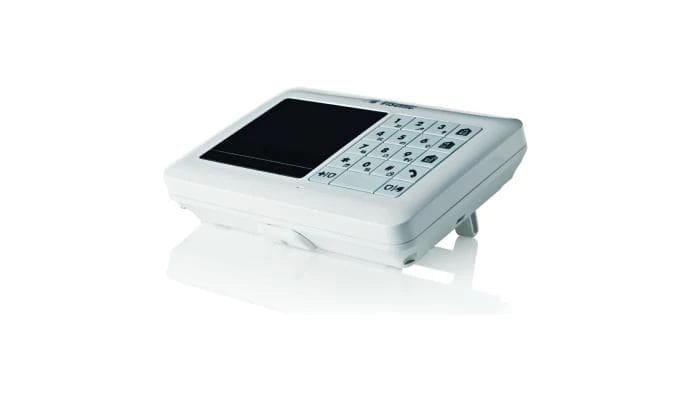
Keypads & User Controls
Keypads, keyfobs and proximity devices can be reviewed against the panel version and current user requirements.
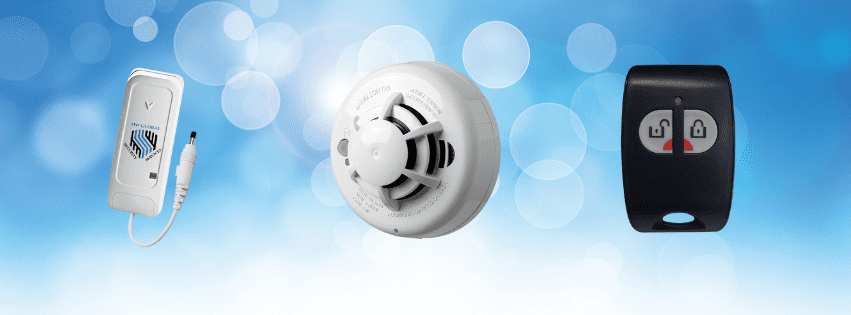
Safety & Panic Devices
Compatible devices may provide additional alerts but do not replace any required statutory fire or life-safety system.
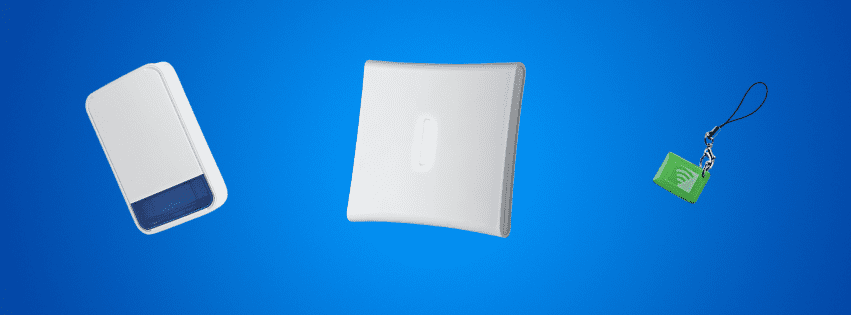
Sirens & Repeaters
Supported warning devices and repeaters can be tested or replaced where compatibility and signal surveys justify the work.
LTE, IP, App & Monitoring Reviews
Many existing PowerMaster 30 systems were installed with older cellular or IP arrangements. A communication review should establish what is fitted, what remains supported and what service the customer actually needs.
LTE 868 Compatibility
Visonic states that its LTE 868 communicator supports compatible 868 MHz PowerMaster panels running version 18.x or higher. The panel frequency and software must be checked.
PowerLink IP
A compatible IP communicator may support reporting and remote services through an appropriate PowerManage provider.
App Access
App functions depend on communicator hardware, panel software, account setup and the provider’s supported service.
SIM & Data
Cellular reporting requires a suitable active SIM or managed service. Network and renewal costs should be shown separately.
Self-Monitoring
Supported alerts may be delivered to authorised users where the required connected service remains available.
Professional Monitoring
Monitoring depends on communicator compatibility, reporting protocol, provider and a current response plan.
No communication route is guaranteed to remain available during every power, network, mobile-signal or provider failure. The installed paths and limitations should be tested and explained.
Inherited Systems, Missing Access & Takeovers
A business or property owner may inherit a PowerMaster 30 without full documentation, current installer details or a reliable list of authorised users.
- Confirm authority to manage the alarm
- Identify the panel, software and communicator
- Record current zones, users, partitions and devices
- Review installer and administrator access
- Remove obsolete users where authorised
- Check keyfobs, proximity tags and keyholder arrangements
- Assess faults and missing documentation
- Provide a repair, upgrade or replacement recommendation
We will not bypass ownership or access controls without appropriate authority. A reset or replacement may be necessary where access cannot be recovered safely or proportionately.
Grade 2, Insurance & Existing-System Condition
PowerMaster 30 equipment may be used within a Grade 2 installation, but an existing system is not automatically compliant, insurer approved or eligible for police response merely because of its panel model.
Original Specification
The panel, detectors, tamper protection, warning devices, signalling and power arrangements must be considered together.
Current Condition
Failed devices, missing records, communication changes and unrecorded alterations can affect continued suitability.
Insurer Requirements
The insurer should confirm its current grade, signalling, installer and maintenance requirements in writing.
Maintenance or repair does not automatically recertify an unknown, altered or previously unmaintained installation. Records will describe the work actually completed.
Modern Replacement Options for a PowerMaster 30
A PowerMaster 30 replacement must account for the size of the existing system, number of users and the possibility that not every installed PowerG device can be transferred.
Ajax Alarm Systems
A modern wireless platform offering app control, visual verification, broad security-device options and customer-owned configurations.
Qolsys IQ Panel
A touchscreen platform that may suit customers prioritising PowerG device compatibility, automation and Alarm.com connected services. It will have a separate installation page.
Another Visonic Panel
A supported 360-series system may suit some properties, but sourcing, service platform, device compatibility and future support must be confirmed.
Existing detectors should be surveyed before any reuse saving is quoted. Frequency, exact model, condition, firmware and enrolment compatibility all matter.
Our PowerMaster 30 Support Process
1. Identify the Installation
Panel, software, users, partitions, devices, communicator and known faults are recorded.
2. Test Key Functions
Power, batteries, zones, sirens, tamper operation and communications are checked as appropriate.
3. Review User Management
Codes, tags, keyfobs and partition responsibilities are reviewed where authorised.
4. Compare the Options
Repair, maintenance, expansion, communicator upgrade and replacement costs are separated clearly.
5. Handover
The resulting system condition, limitations and future maintenance needs are explained.

Why Use MW Global for PowerMaster 30 Support?
- Visonic PowerMaster Gold Certified Installer
- Experience with multi-user and larger-property security requirements
- System, communication and response considerations reviewed together
- Clear repair-versus-replacement recommendations
- Modern Ajax and future Qolsys replacement options
- Customer-owned alarm and optional-service choices
- Local support across East Anglia
Broader support information is available on our alarm repairs, maintenance and servicing page.
PowerMaster 30 Repairs & Support: Frequently Asked Questions
Is the Visonic PowerMaster 30 discontinued?
Visonic still lists the PowerMaster 30 G2 within its current panel range. We therefore do not describe it as officially discontinued. MW Global primarily positions it as an established installed system requiring support, maintenance, expansion or replacement advice.
Can you repair an existing PowerMaster 30?
Often, yes. We first identify the panel version, software, communicator, devices, access and fault. Repair depends on condition and availability of compatible parts.
How many wireless zones does the PowerMaster 30 support?
Visonic currently publishes support for up to 64 wireless zones. Available capacity on an existing installation depends on the devices and zones already enrolled.
How many individual user codes can it hold?
The current product specification states up to 48 user codes. This makes user management an important part of servicing a business or multi-occupancy installation.
Can you replace the panel and detector batteries?
Yes, subject to correct identification and parts availability. On a large system, it is often sensible to review all battery warnings and device ages rather than replace only the first reported battery.
Can the PowerMaster 30 be upgraded to LTE?
Possibly. Visonic states that its LTE 868 communicator supports compatible 868 MHz PowerMaster panels running version 18.x or higher. The installed frequency, software and provider setup must be checked.
Can I still use a phone app?
Potentially. App access depends on compatible communication hardware, panel software, account setup and services offered through a supporting provider.
Can you add more PowerG detectors?
Potentially, where zone capacity remains, the device is compatible and continued investment in the existing platform is reasonable.
Is the PowerMaster 30 still Grade 2?
The panel can form part of a Grade 2 design, but the status of an existing installation depends on its complete design, current condition, signalling, records, maintenance and alterations.
Will my insurer accept a repaired PowerMaster 30?
That depends on the insurer’s current written requirements and the status of the complete system. Repair work alone does not guarantee acceptance.
Can existing PowerG devices move to Qolsys?
Some Qolsys panel variants support compatible PowerG devices, but reuse is not automatic. Frequency, exact device, condition and panel compatibility must be checked.
Should I replace the PowerMaster 30 with Ajax or Qolsys?
The correct choice depends on the number of zones and users, required app experience, monitoring, visual verification, automation, existing device reuse and ongoing service costs.
Do you support systems installed by another company?
We can assess many third-party-installed systems where the customer has authority to manage the alarm and suitable access can be established.
Related Visonic Support & Alarm Services
PowerMaster 30 Support Across East Anglia
MW Global Security Services assesses suitable Visonic PowerMaster systems across Suffolk, Norfolk, Cambridgeshire, Peterborough and surrounding areas. Attendance and repair availability depend on location, access, system condition and parts support.
Need Help With an Existing PowerMaster 30?
Tell us the displayed fault, panel version if known, number of affected devices, communication setup and whether the system is still operating. Photos of the panel and fault display can help us prepare.
Customer Feedback
“Experienced a problem with our flat alarm and struggled to get anyone to visit as not under a maintenance contract. Grateful to Malcolm of MW Global who visited at short notice, gave options to solve the issue and was a pleasure to deal with.”
David Roust — Google review