
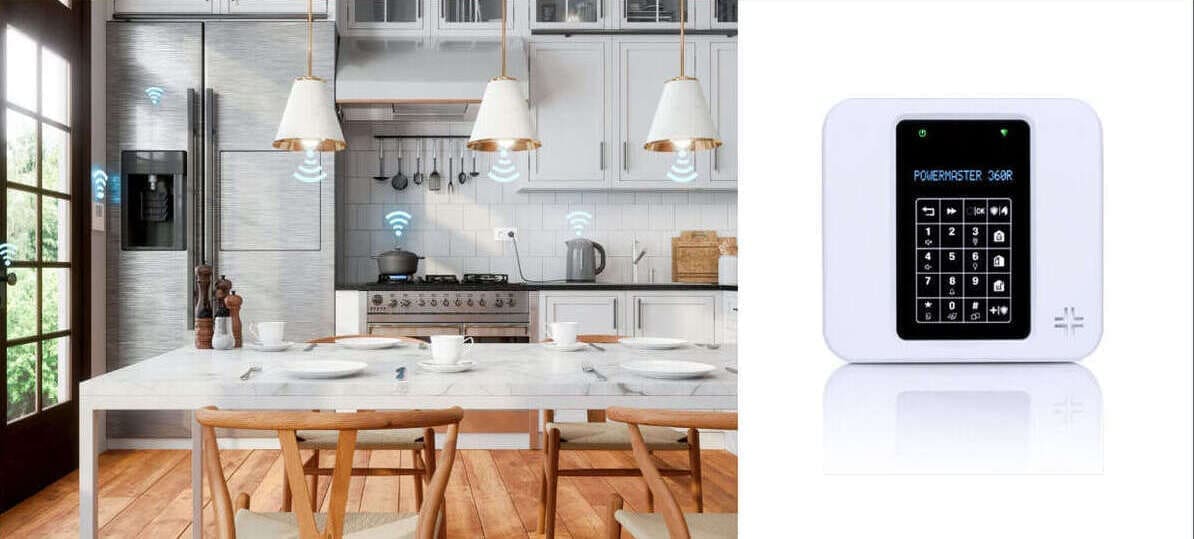
Visonic PowerMaster 360R Installation & Support
Current Visonic PowerG gateway for suitable homes and small-to-medium business premises.
Professional system design, installation, touchscreen setup, connected-service configuration, maintenance and replacement advice across East Anglia.
PowerG security | Touchscreen keypad | Wi-Fi and cellular options | Optional Z-Wave automation
Current Visonic Panel
The 360R remains listed in Visonic’s current PowerMaster panel range.
64 Security Zones
Capacity for detailed residential and smaller commercial designs.
48 User Codes
Supports individually identifiable users where configured appropriately.
Installation & Support
New installations together with support for existing 360R systems.
What Is the PowerMaster 360R?
The Visonic PowerMaster 360R G2 is a wireless security, safety and optional home-automation gateway. It combines compatible PowerG alarm devices with Wi-Fi, cellular communication and supported Z-Wave automation.
Unlike the PowerMaster 10, 30 and 33 pages, this page should continue to cover professional installation because Visonic still presents the 360R as a current product for residential customers and small-to-medium businesses.
It is not automatically the best panel for every property. Current UK supply, device compatibility, cloud and app services, cellular arrangements, automation requirements and ongoing charges must be confirmed before it is specified.
MW Global can compare the 360R with Ajax, a suitable Qolsys platform or another alarm system before recommending an installation.

When the PowerMaster 360R May Be a Good Fit
It should be chosen because its PowerG, touchscreen and connected-service features suit the requirement—not simply because it is the newest Visonic model.
Potentially Suitable When
- The customer wants a current Visonic PowerG platform
- A touchscreen keypad is preferred
- The design needs up to 64 zones and multiple individual users
- Wi-Fi and cellular communication are required
- Compatible visual verification is part of the design
- Supported Z-Wave automation is genuinely useful
- A suitable third-party cloud and app service is available
Another Platform May Be Better When
- The customer wants to avoid all connected-service charges
- A broader modern app ecosystem is more important than staying with Visonic
- Extensive wired integration is required
- Existing PowerG devices cannot be confirmed compatible
- The required UK cloud or cellular service is unavailable
- Ajax better suits the customer-owned system model
- A Qolsys panel offers the better PowerG and Alarm.com route
PowerMaster 360R Published Core Features
These headline figures follow Visonic’s current product information. Regional version, software and service configuration still matter.
PowerG Security
Supports compatible PowerG intrusion, safety, panic and warning devices.
Touchscreen Keypad
User operation is provided through a compatible touchscreen keypad arrangement.
Wi-Fi & Cellular
Supports Wi-Fi to the premises router and a compatible cellular communication path.
Up to 64 Zones
Provides substantial capacity for a wireless alarm design.
Up to 48 User Codes
Useful for households or businesses requiring individual access.
More Than 120 Devices
Visonic lists support for more than 120 wireless devices across categories.
Built-In Siren
The gateway includes an internal siren and supports compatible additional warning devices.
Up to 12-Hour Backup
Published backup is up to 12 hours, subject to battery condition, age, load and configuration.
Visonic also publishes category limits of up to 10 PIR cameras, 32 keypads, 32 keyfobs, eight sirens and four repeaters. These are maximum capacities, not a recommendation to use every maximum.

Professional PowerMaster 360R Installation
A professional installation should cover the whole system rather than simply mounting the gateway and pairing devices.
- Property and risk assessment
- Confirmation of current product and service availability
- Zone, user and partition planning
- PowerG device and signal survey
- Touchscreen keypad positioning
- Wi-Fi and router assessment
- Cellular coverage and service checks
- Cloud and mobile-app service confirmation
- Z-Wave requirement and compatibility review
- Programming, testing and customer handover
- Written explanation of recurring service costs
Installation availability is subject to current supply, compatible peripherals and access to an appropriate connected-service platform.
PowerG Security, Safety & Verification Devices
The final device selection should follow the property risk and compatibility checks rather than a generic package list.
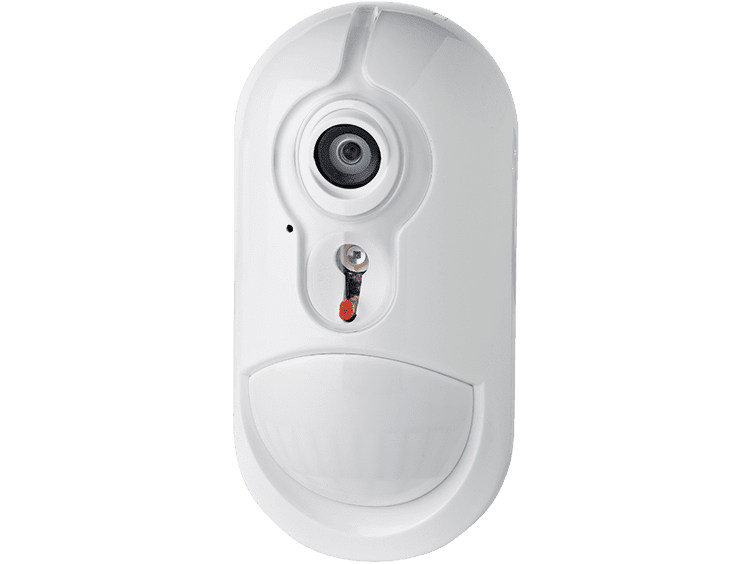
Intrusion & Visual Verification
Compatible motion detectors, contacts, shock sensors and PIR-camera devices can form part of the design.
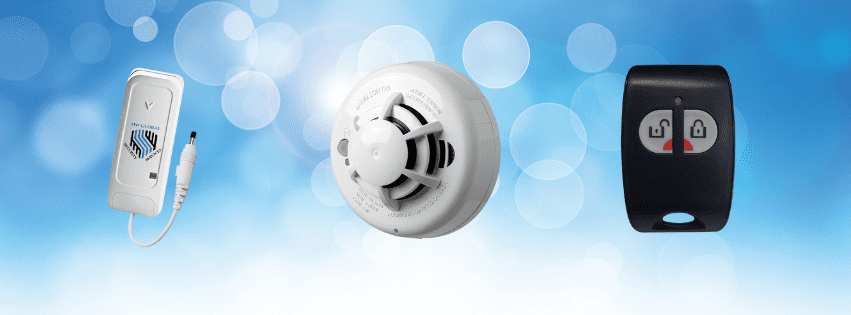
Safety & Personal Alerts
Supported smoke, heat, carbon-monoxide, flood and panic devices can provide additional alarm-platform alerts.
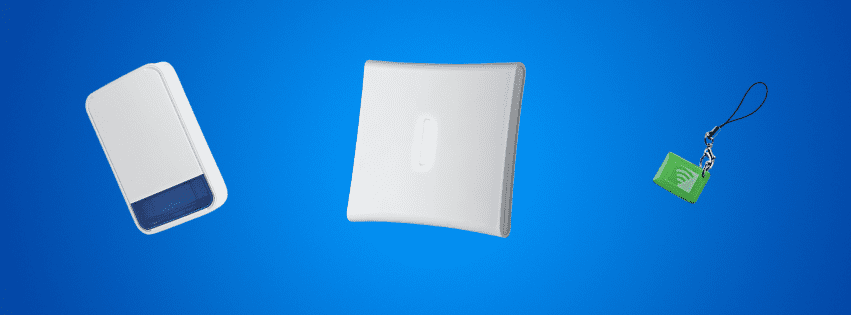
Sirens & Repeaters
Compatible warning devices and repeaters can be specified after signal and coverage testing.
Alarm-platform smoke, heat, carbon-monoxide and flood devices do not automatically replace any fire alarm, life-safety or statutory environmental system required for the premises.
Wi-Fi, Cellular, Cloud & Mobile App Services
Visonic describes the 360R as part of a solution that includes a third-party cloud platform and mobile app. The app is therefore not presented as automatically free, permanently available or included without a service arrangement.
Wi-Fi Path
Remote service depends on working broadband, router power, cloud availability and correct configuration.
Cellular Path
Module, SIM, signal, network and provider support must be confirmed for primary or backup reporting.
Mobile App
Functions depend on the third-party platform, account permissions, software, devices and service package.
Notifications
Push, email or SMS alerts should only be promised where the selected service supports them.
Remote Diagnostics
Access depends on the authorised professional platform and service configuration.
Ongoing Charges
Cloud, app, SIM, cellular, monitoring, automation and response services may carry recurring charges.
No communication path is guaranteed through every mains, broadband, mobile-network, router or cloud-service failure. The installed paths and limitations should be tested and explained.
Optional Z-Wave Home Automation
The PowerMaster 360R supports optional Z-Wave integration as part of its gateway role.
- Automation is optional rather than required for alarm operation
- The regional panel and service platform must support the intended feature
- Individual Z-Wave products require compatibility confirmation
- Security-critical functions should not depend on unverified consumer automation
- Automation rules should be documented and tested
- Cloud or platform charges may apply
- The customer should understand what works during communication or power failures
The 360R should not be described as compatible with every Z-Wave, Alexa, Google Home or third-party automation product.
Customer Ownership Does Not Mean Every Service Is Free
Physical Equipment
Where sold outright, the listed panel and devices can be customer-owned once paid for.
Local Alarm Operation
Local detection and sirens may operate without purchasing every optional connected service.
Connected Services
App, cloud, SIM, monitoring, automation, maintenance and response services may carry charges.
Our alarm systems without subscription contracts guide explains equipment ownership versus optional continuing services.
Grade 2, Insurance & Monitoring Requirements
Where a Grade 2 or insurer-specified system is required, the complete installed design must be assessed. The panel name alone does not make every installation compliant, insurer approved or eligible for police response.
Complete Design
Panel, detectors, tamper protection, warning devices, communications, power and response arrangements must be considered together.
Installation & Records
Programming, testing, handover, maintenance and documentation affect the status of the finished system.
Written Requirements
The customer should obtain current written grade, signalling, monitoring and installer requirements before ordering.
Professional monitoring, keyholding, police attendance and insurer acceptance are separate arrangements and are not automatic features of purchasing a PowerMaster 360R.
PowerMaster 360R Maintenance & Existing-System Support
The page also serves owners of existing 360R systems who need maintenance, faults investigated or connected services reviewed.
Panel & Power Faults
Mains, backup-battery, tamper, internal warning and unexplained system faults.
Device & Siren Faults
Offline devices, low batteries, false activations, weak signal and replacement assessment.
Touchscreen Problems
User operation, communication, enrolment and configuration issues.
Wi-Fi & Cellular Faults
Router changes, lost connectivity, SIM or network issues and service-provider configuration.
App & Account Problems
Account access can be reviewed where the third-party platform and service remain supported.
Repair or Replacement
We compare repair costs, service limitations, parts availability and replacement options.
See our wider alarm repairs, maintenance and servicing service.
PowerMaster 360R, Qolsys or Ajax?
The 360R is the final Visonic installation-led model page before the new Qolsys page. Each platform should be compared around the required service, not just panel appearance.
PowerMaster 360R
Potential strength: current Visonic PowerG gateway, touchscreen, Wi-Fi, cellular and optional Z-Wave.
Check: UK supply, cloud platform, mobile app, cellular service and costs.
Qolsys IQ Panel
Potential strength: modern touchscreen platform with selected PowerG compatibility and Alarm.com services.
Check: exact variant, device reuse, service package and recurring costs.
Ajax Alarm Systems
Potential strength: modern app-led wireless system, visual verification and customer-owned configurations.
Check: existing PowerG devices are not reused directly. View Ajax installation.
Our Installation & Support Process
1. Confirm the Requirement
Risks, users, communications, monitoring and automation needs are established.
2. Verify Availability
Panel, devices, cloud service, cellular route and current support are checked.
3. Design the System
Zones, detectors, users, keypad, sirens and communication paths are specified.
4. Install & Configure
The system is fitted, programmed, connected and tested against the agreed design.
5. Handover & Support
Operation, charges, limitations, maintenance and response arrangements are explained.
PowerMaster 360R Installation & Support FAQs
Is the PowerMaster 360R still a current Visonic panel?
Yes. Visonic currently lists the PowerMaster 360R G2 in its public PowerMaster panel range and provides current product resources and installation documentation.
Do you still install the PowerMaster 360R?
We can consider it for new installations where current UK equipment, compatible devices, cloud services, cellular arrangements and support are confirmed. It is compared with Ajax and Qolsys before a recommendation.
How many zones and users does it support?
Visonic publishes support for up to 64 zones and 48 user codes.
Does it include a touchscreen?
Visonic lists a touchscreen keypad as a feature. The exact supplied keypad and regional package should be confirmed in the quotation.
Can it connect by Wi-Fi?
Yes. Remote services still depend on working broadband, router power, cloud availability and correct configuration.
Does it have cellular backup?
Visonic describes cellular link backup as part of the solution. The communicator, SIM, network, signal and service package must be confirmed.
Is the app free?
Visonic describes the 360R as part of a solution using a third-party cloud platform and mobile app. Access, features and charges depend on the provider and package.
Can it send push, email or SMS notifications?
Potentially, but notification methods depend on the platform, account, communication route and service package.
Does it support Z-Wave automation?
Visonic lists Z-Wave support and optional home automation. Individual devices and regional or platform compatibility must still be checked.
How long is the backup battery?
Visonic publishes up to 12-hour panel backup. Actual duration depends on battery condition, age, load and configuration.
Is it subscription-free?
The physical equipment can potentially be customer-owned, but app, cloud, SIM, cellular, monitoring, automation, maintenance or response services may carry recurring charges.
Is it automatically Grade 2 and insurer approved?
No. The complete design, installation, signalling, power, documentation and maintenance arrangements must meet the applicable requirement.
Can existing PowerG devices be reused?
Possibly, subject to frequency, exact model, firmware, condition and compatibility with the proposed panel and service platform.
Should I choose PowerMaster 360R or Qolsys?
The choice depends on device compatibility, connected-service provider, app and automation requirements, ongoing charges and support availability.
Can you repair an existing PowerMaster 360R?
We can assess many panel, touchscreen, PowerG device, Wi-Fi, cellular and account-related faults, subject to access, support and compatible parts.
Related Alarm Systems & Visonic Support
PowerMaster 360R Installation & Support Across East Anglia
MW Global Security Services assesses suitable installations and existing systems across Suffolk, Norfolk, Cambridgeshire, Peterborough and surrounding areas. New installation availability depends on current product, service-platform and support arrangements.
Considering a PowerMaster 360R?
Tell us whether this is a new installation or an existing-system problem, together with the property type, required zones, users, app, monitoring and automation requirements. We will compare the practical options before recommending a platform.
Customer Feedback
“Very efficient service — happy to offer as much support as is required and could not do enough to ensure the system settled in to do the job it was purchased for. Very happy.”
Emma Thorpe — Blue Diamond Stud, Newmarket